A professional multi-screen workspace representing Rooiko online systems projects

Projects / online systems

Complex operations.
One clear interface.

Connected platforms shaped around the decisions people make every day.

AirKo, UNOPENED and Forjdeck operate in different sectors, but share one design principle: the interface, rules and operational record must work as one system.

Rooiko online systems case studies
01 / ONLINE SYSTEM

AVIATION OPERATIONS

AirKo

Operational applications, evidence and readiness in one accountable system.

THE CHALLENGE

Commercial UAS operations bring pilots, aircraft, equipment, applications, evidence and authorisation decisions together. When those records live across spreadsheets, folders and separate messages, readiness is difficult to see, expired information can remain in circulation and material changes are easy to miss. The team needed one dependable view without removing the human responsibility behind an operational release.

ROOIKO'S SOLUTION

Rooiko designed a role-aware system connecting teams, fleet and flight applications with versioned flight packs, readiness checks, human authorisation and a durable audit trail. Each user sees the records and decisions relevant to their role, while operational dashboards expose missing evidence and the next accountable action. The result is a clearer path from application preparation to a controlled release decision, with history that remains useful afterwards.
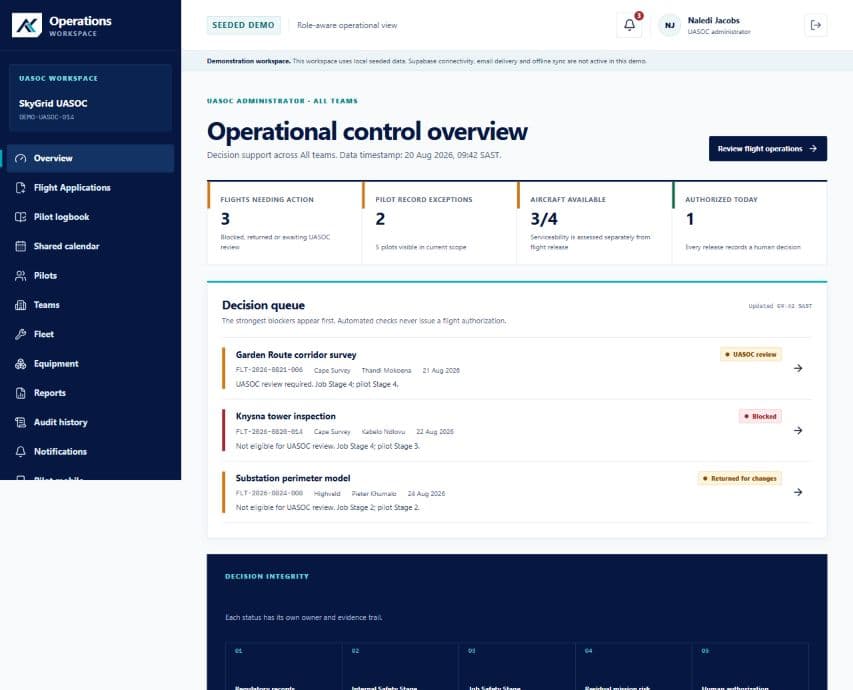
AirKoOPERATIONS OVERVIEW
AirKo authenticated operations portal showing decision queues and operational readiness
AirKo / 01

Operations overview — readiness, exceptions and the next accountable decision in one workspace.

View full interface
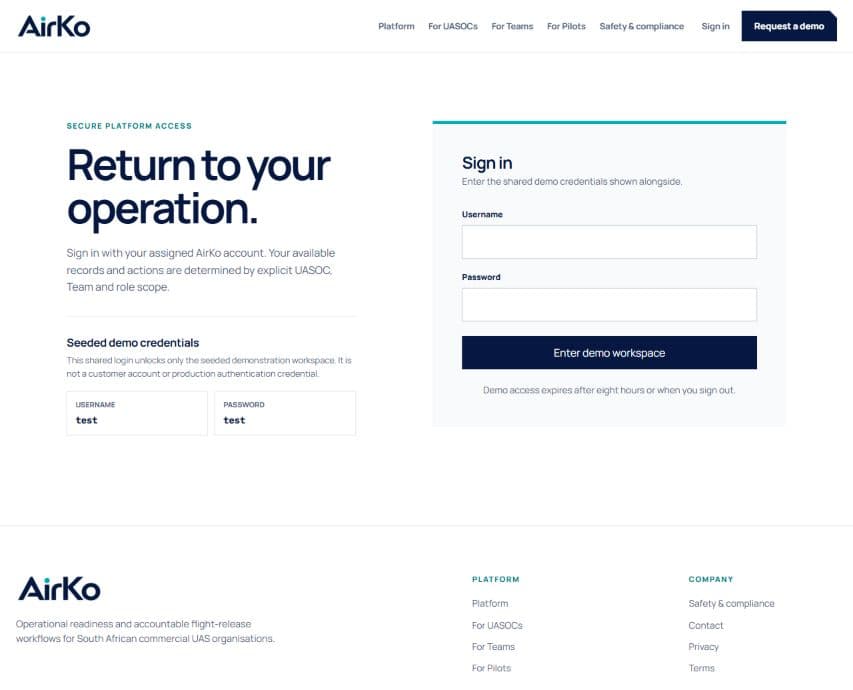
AirKoSECURE ACCESS
AirKo secure portal sign-in screen with clearly scoped demonstration access
AirKo / 02

Secure access — a clear entry point into role-aware operational records.

View full interface
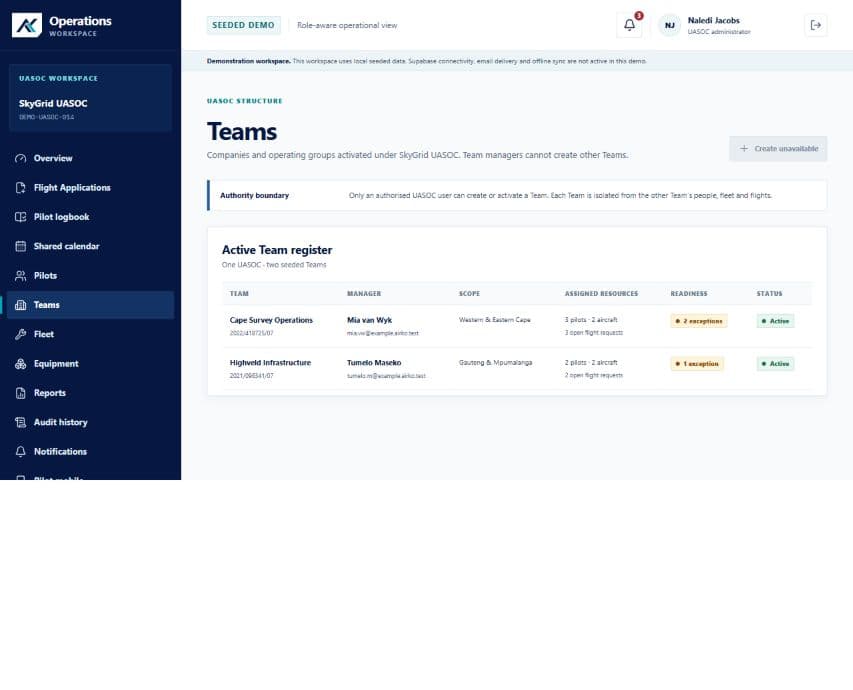
AirKoTEAM REGISTER
AirKo authenticated team management portal showing operating groups and readiness status
AirKo / 03

Team register — operating groups, assigned resources and readiness remain visible.

View full interface
  • 01Application management
  • 02Flight-pack versions
  • 03Operational readiness
  • 04Accountable audit trail

The current AirKo interface is shown with local seeded demonstration data. AirKo supports operational control and human decisions; it does not itself grant regulatory approval.
02 / ONLINE SYSTEM

STOCK + ONLINE COMMERCE

UNOPENED

Phone-first product capture connected to stock control and the online shop.

THE CHALLENGE

A fast-moving collectables business needed product and stock information captured once, then made useful everywhere. Re-entering products, quantities, condition and pricing across separate tools created delays, mismatched catalogue information and unnecessary work whenever stock changed. The solution also had to support quick phone-based capture without compromising the richer controls needed by the store team.

ROOIKO'S SOLUTION

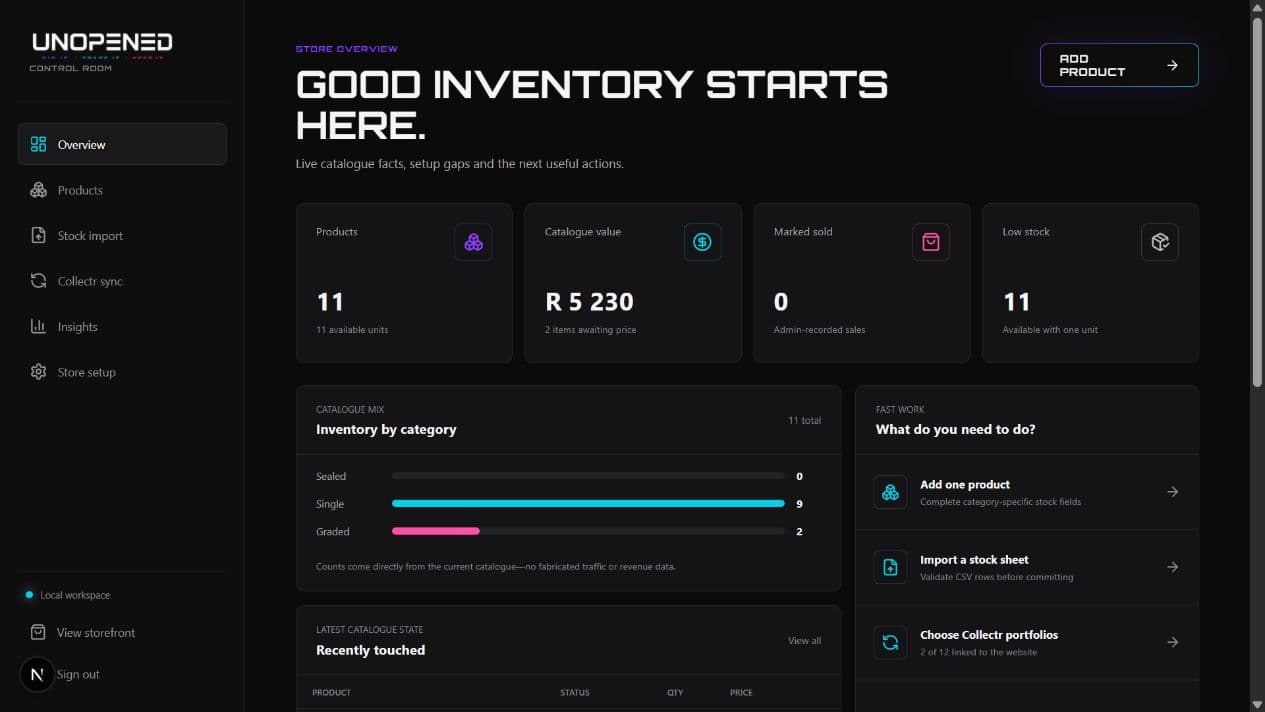
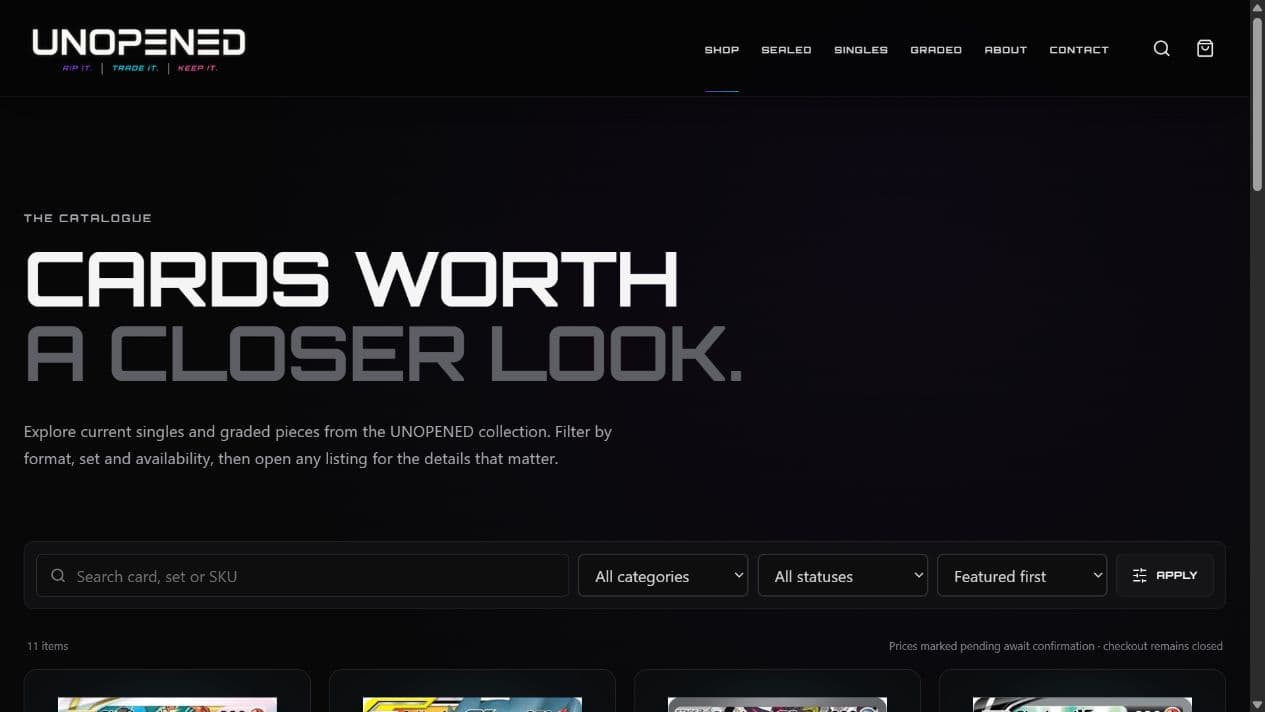
Rooiko developed an integrated catalogue and stock-management system shaped to receive product data from the phone workflow and turn it into one reusable product record. The control room brings catalogue value, category mix, low-stock signals and the next useful actions into a practical store overview. That same data drives live pricing and availability in the public shopping portal, while invoicing and shipping API integrations carry the order into fulfilment without another disconnected handoff.

UNOPENEDSTORE STATISTICS
UNOPENED store statistics dashboard showing catalogue value, category mix and inventory actions
UNOPENED / 01

Store overview — live catalogue facts, stock signals and the next useful management actions.

View full interface
UNOPENEDONLINE SHOP
UNOPENED public shopping portal with live product categories and pricing
UNOPENED / 02

Online storefront — the same product and stock record presented as one clear customer catalogue.

View full interface
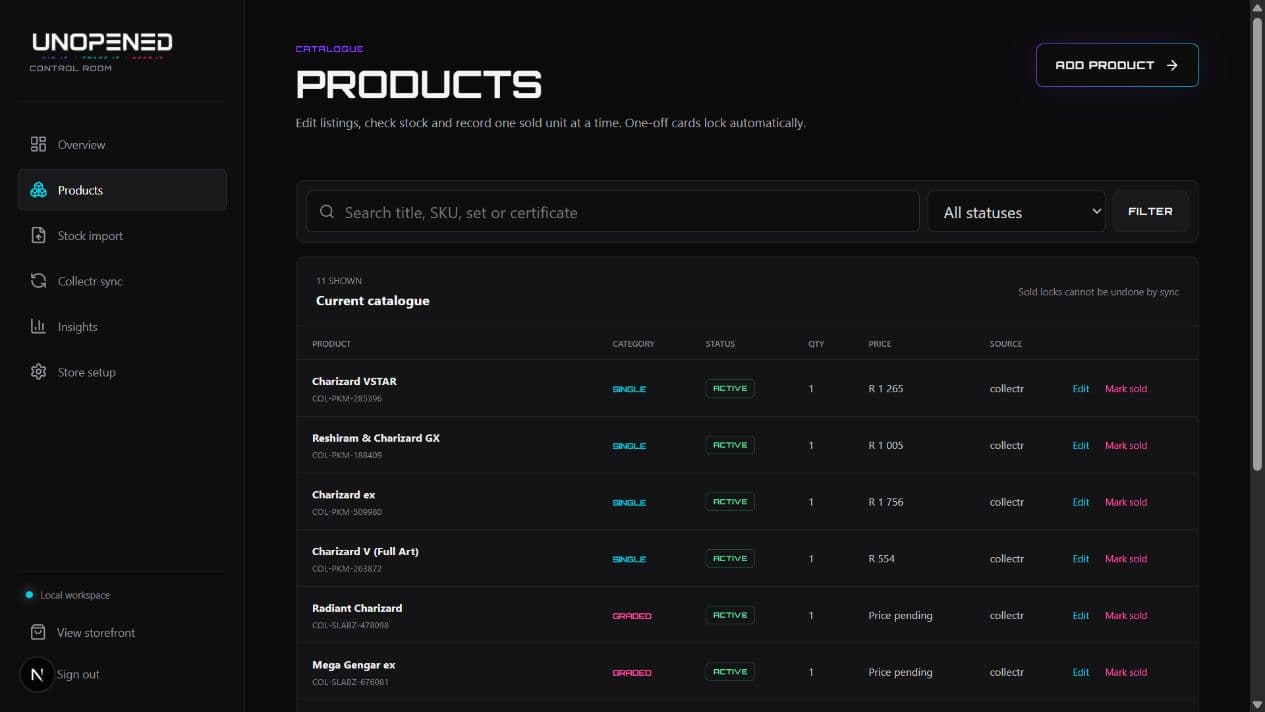
UNOPENEDPRODUCT MANAGEMENT
UNOPENED product management table with stock, pricing and availability controls
UNOPENED / 03

Product management — one operational view for stock, pricing and availability.

View full interface
  • 01Phone-first catalogue
  • 02Stock management
  • 03Live pricing
  • 04Storefront + fulfilment

The commerce architecture keeps public selling, administration and fulfilment controls separated while sharing one dependable product record.

03 / ONLINE SYSTEM

MULTIMEDIA + TEAM OPERATIONS

Forjdeck

One production workspace from planning to final client delivery.

THE CHALLENGE

Production planning, team coordination, video review, approvals, delivery and archives can quickly fragment across different tools and links. As a project moves from pre-production through the shoot, post-production and client review, responsibility changes hands and important context can disappear with it. Internal teams and clients also need distinct, permission-aware views of the same work without creating parallel versions of the project record.

ROOIKO'S SOLUTION

Rooiko brought the production lifecycle into a connected workspace. A clear team board shows every active production by stage, ownership and next action, while review tools keep frame-specific feedback, versions and approvals attached to the media itself. Secure client access, large-file delivery and long-term archives remain connected to the project, giving the team one continuous operational history from the first plan to final handover.

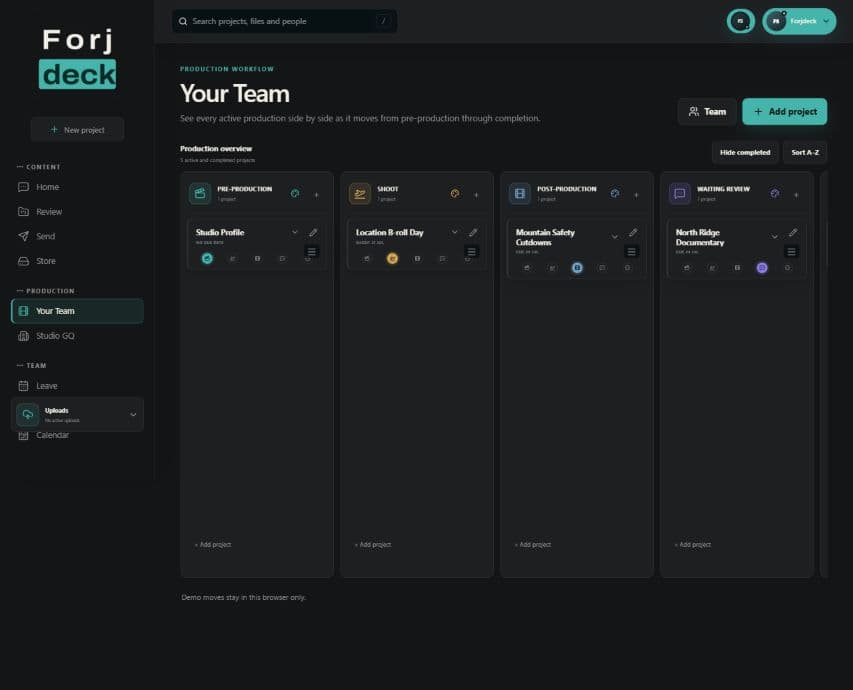
ForjdeckTEAM MANAGEMENT
Forjdeck team management board showing projects across pre-production, shoot, post-production and review
Forjdeck / 01

Team workspace — active productions organised by stage, ownership and the next useful action.

View full interface
ForjdeckVIDEO REVIEW
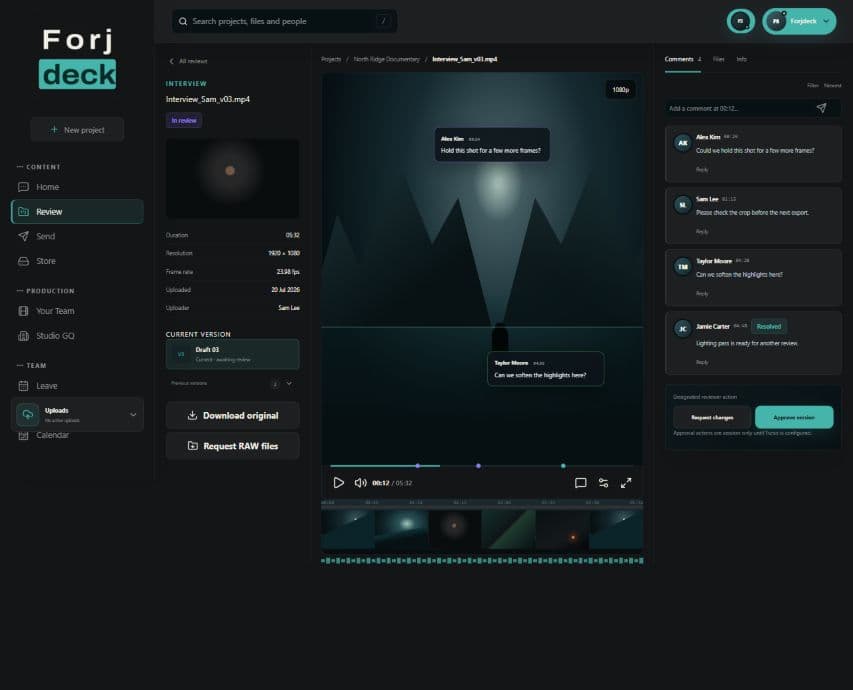
Forjdeck authenticated video review workspace with frame-specific comments and approval tools
Forjdeck / 02

Video review — precise feedback, versions and approval remain attached to the work.

View full interface
ForjdeckSECURE ACCESS
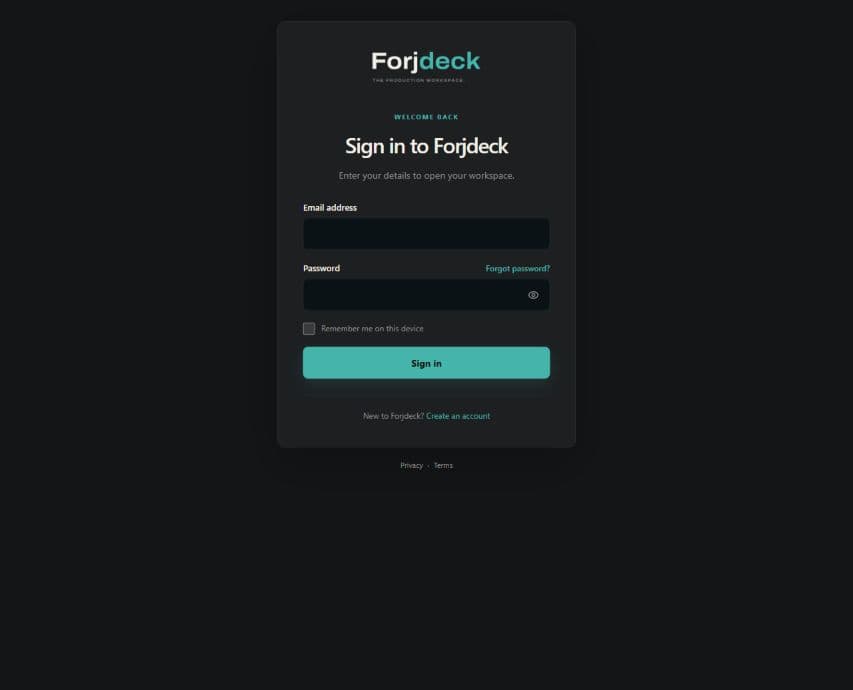
Forjdeck secure customer portal sign-in screen
Forjdeck / 03

Portal access — protected team and client workspaces begin with a focused sign-in experience.

View full interface
  • 01Production stages
  • 02Team coordination
  • 03Frame-specific review
  • 04Client delivery + archive

The current Forjdeck sign-in and product interfaces are shown with local demonstration data; customer workspaces and private production records remain protected.

Start a project

Let's build what
the job needs.

Bring the operating constraint. We will help turn it into a clear, useful first system.

Contact Rooiko